






Grant access to Shopify
In this article you will learn how to grant access to your Shopify store.
You will learn step by step how to grant someone secure access
Make sure you have the domain of your own Shopify store used.
Don't have your own domain linked yet? Then share your store's URL ending in .myshopify.com. That's the default address that Shopify has assigned to your store.
Shopify Dashboard
1. Click on settings at the bottom left home screen from Shopify.

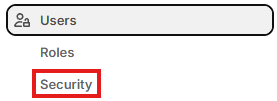
2. Click on Users in the menu.

3. Then go to Security.
4. Here you will find the Collaborators heading code that we need to access to apply for your Shopify Webshop.

Need help? We're happy to help. Send an email to info@deonlinewebsitebouwer.nl or call us.
 Dutch
Dutch English